Guided installation
Downloads, verifies, and prepares the components required to run the game.
MACTICIAN · TFT LAUNCHER
Mactician prepares the environment, starts the game, and keeps your local setup in one place—without Android Studio, Terminal commands, or manual configuration.
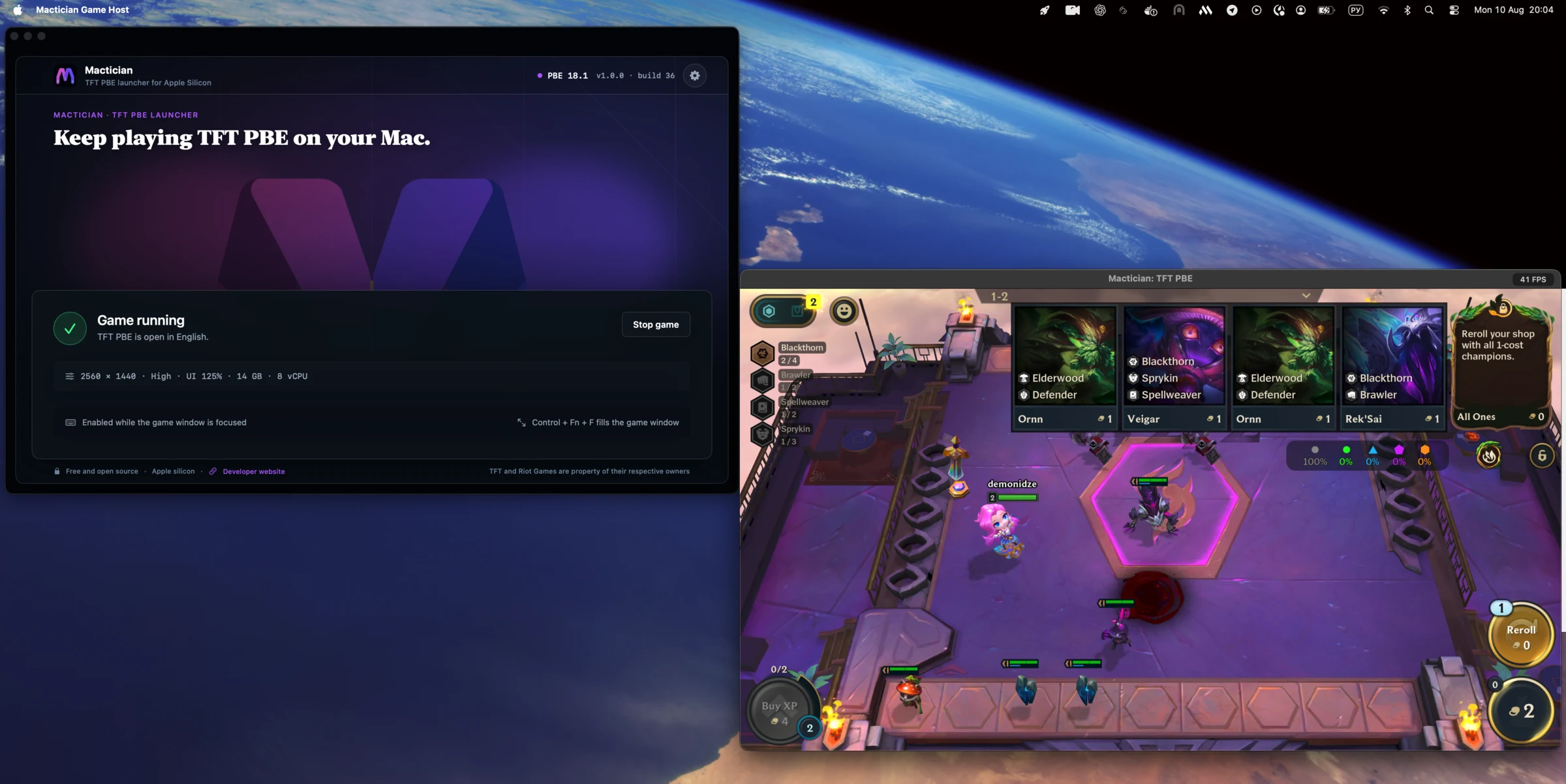
Apple Silicon · macOS 12+ · Free · MIT licensed
Community-maintained · Best-effort support · Feedback & roadmap ↗
Current release is signed with Apple Developer ID and notarized by Apple for standard Gatekeeper approval.
b2d42b8a9e299fea363500c1a88428de66a6c633c4a5a4d5f7a08b6ca137c7aaIndependent community project. Not an official Riot Games application. Telemetry & privacy.
01 · player experience
The project began as a working technical experiment. The launcher turns that experiment into a repeatable experience another player can use without learning the stack behind it.
Downloads, verifies, and prepares the components required to run the game.
Choose a resolution that matches your Mac and your preferred balance between image quality and performance.
Adjust the game interface without manually editing Android settings.
Tune the local environment for your Mac, with safe defaults provided by the launcher.
Verify and restore required components while preserving the existing environment whenever possible.
Create a fresh local environment when an update or damaged installation cannot be repaired.
Install new Mactician versions while keeping the larger local runtime and game state separate.
Enable desktop shortcuts for supported in-game actions when needed.
Verify launcher-managed components while preserving game state.
No subscription, paid tier, or recurring fee.
MIT-licensed code is available for anyone to inspect.
Your runtime, settings, and game state stay on your Mac.
Mactician never asks for your password.
02 · what it is
Mactician is a native macOS application that prepares a compatible Android environment and runs live TFT in a desktop window.
You do not need to configure Android Studio, create a virtual device, edit system files, or copy commands into Terminal. The launcher handles the setup and gives you a straightforward flow:
Install → Sign in → Play
After the first installation, the launcher remembers your local environment and brings the controls you actually need into one place.
Download the launcher, select Install, and let it prepare the required components.
Launch TFT in a resizable window with mouse input, display profiles, UI scaling, and optional hotkeys.
Verify or restore required components through Repair, or start clean with Reset when necessary.
The first installation takes longer because the complete local runtime must be downloaded and prepared.
03 · why it exists
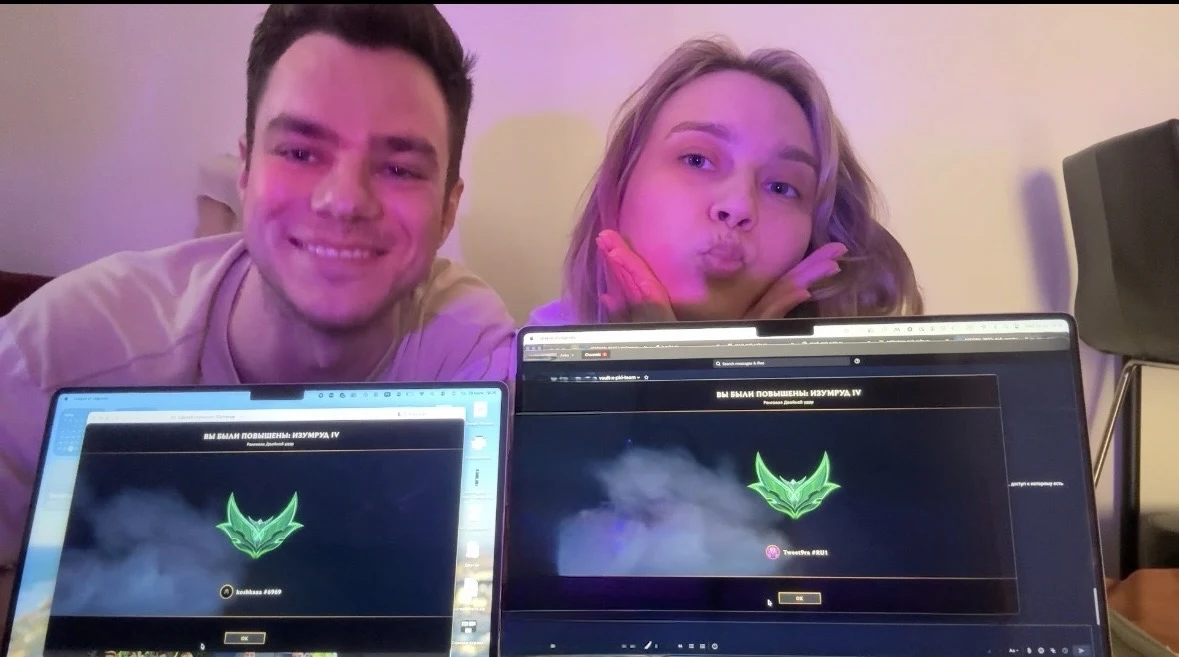
My wife and I love playing TFT together. It has become one of our favorite shared hobbies—the kind of game that turns every new set into a small event.
We wait for the patch, learn the new traits, compare compositions, send each other ideas, and play side by side on our MacBooks.
We were especially looking forward to the next PBE cycle. When we learned that macOS would no longer be supported, we were genuinely disappointed. It was not only about losing access to a test server. It felt like we were about to lose one of the small rituals we both enjoyed.
So I decided to see whether I could solve the problem for us.
The first version was only a personal workaround. Over time, it became a native macOS launcher that handles installation, launch, configuration, updates, and recovery.
Once it became reliable enough for us to use, keeping it private no longer made sense. I am sharing it so other Mac players do not have to miss a new set—or give up a hobby they enjoy with someone else.
I built it so we could keep playing together. I’m sharing it so you can too.
Built for two tacticians. Shared with everyone.
04 · expectations
The launcher is designed for Macs with an M-series chip. Intel Macs are not supported.
The launcher is developed and tested for the current live client. Test-server clients are outside the currently supported scope.
A TFT or Android Emulator update may require a new launcher release.
The launcher must download and prepare a complete local runtime before the first game launch.
Tested defaults are provided, but performance depends on the Mac model, available resources, and selected display profile.
Mactician is not an official Riot Games application and is not developed or supported by Riot Games.
Compatibility fixes and support are provided when time allows, without a guaranteed response time or service-level agreement.
05 · support model
Mactician is a personal project, not a commercial service. I maintain it in my spare time and cannot promise fixed response times, immediate compatibility with every TFT update, or implementation of every feature request.
Before reporting a problem, please check the latest release notes and the troubleshooting answers below. Then report reproducible problems in the public GitHub issue tracker.
Have an idea for an improvement? Share it on the feedback board, vote on other requests, and follow the work through to release. See how feedback accounts and public posts are handled.
Private messages and social media comments are not support channels. Please do not publish passwords, authentication data, or complete unfiltered logs.
06 · engineering story
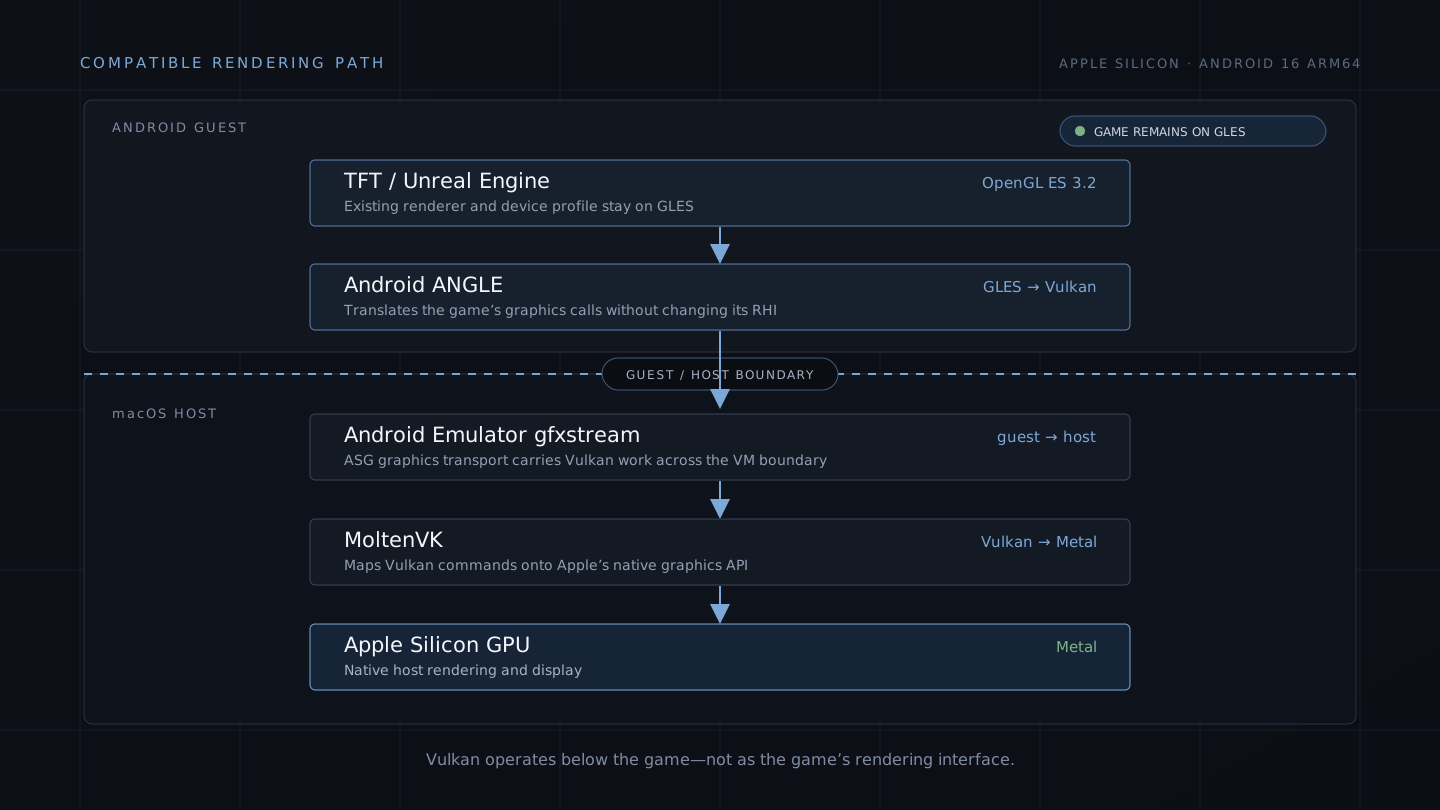
Read the complete engineering case study behind Mactician—from Android Emulator, ANGLE, Vulkan, and MoltenVK to reproducible benchmarks, recovery design, and verifiable macOS releases.
07 · questions
Yes. Mactician is free and distributed under the MIT License.
Mactician is designed for Apple Silicon Macs with an M-series chip running macOS 12.0 or later. Intel Macs are not supported.
No. Mactician downloads and prepares the components it needs.
No. Installation, launch, repair, reset, and configuration are available through the macOS application.
You sign in inside the TFT client. Mactician does not provide a separate Riot login form.
The Android runtime, game state, and Mactician settings are stored locally in ~/Library/Application Support/Mactician.
Mactician updates replace the application itself. The local runtime and user state are stored separately and are intended to remain in place.
Repair verifies or reinstalls required components while preserving the existing environment whenever possible. Reset deletes the local environment and creates a clean installation.
Check the latest release notes first. A Mactician update may be required after changes to TFT or Android Emulator.
Mactician is built and tested for the current live TFT client. Test-server clients are outside the currently supported scope.
No. It is an independent community project.
Support and compatibility updates are provided on a best-effort basis, without an SLA or guaranteed response time.
You can share reproducible issue details in GitHub Issues, improve documentation, contribute code, or share Mactician with other Mac players.
BUILT FOR TWO TACTICIANS · SHARED WITH EVERYONE
Download Mactician and keep playing TFT on your Apple Silicon Mac.
Built for two tacticians. Shared with everyone.TFT, Teamfight Tactics, Riot Games, and related marks are the property of their respective owners. Mactician is an independent community project and is not affiliated with or endorsed by Riot Games. Telemetry & privacy.